Turn a messy list into labels you can print
The goal is not another design tool. It is getting from spreadsheet rows to finished labels with less copying, checking, and rework.
Smetti di copiare nomi, prezzi, indirizzi e codici uno alla volta. Disegna un’etichetta, collega il foglio, controlla il lotto ed esporta un PDF pulito.
Provala gratis. Compra quando il flusso ti fa risparmiare tempo.

What you can make
The goal is not another design tool. It is getting from spreadsheet rows to finished labels with less copying, checking, and rework.
Keep names, prices, SKUs, and codes in the sheet; each row becomes a consistent label.
Turn names and addresses into clean label sheets without fighting a word processor.
Prepare labels for parcels, shelves, bins, and any job where each row needs its own output.
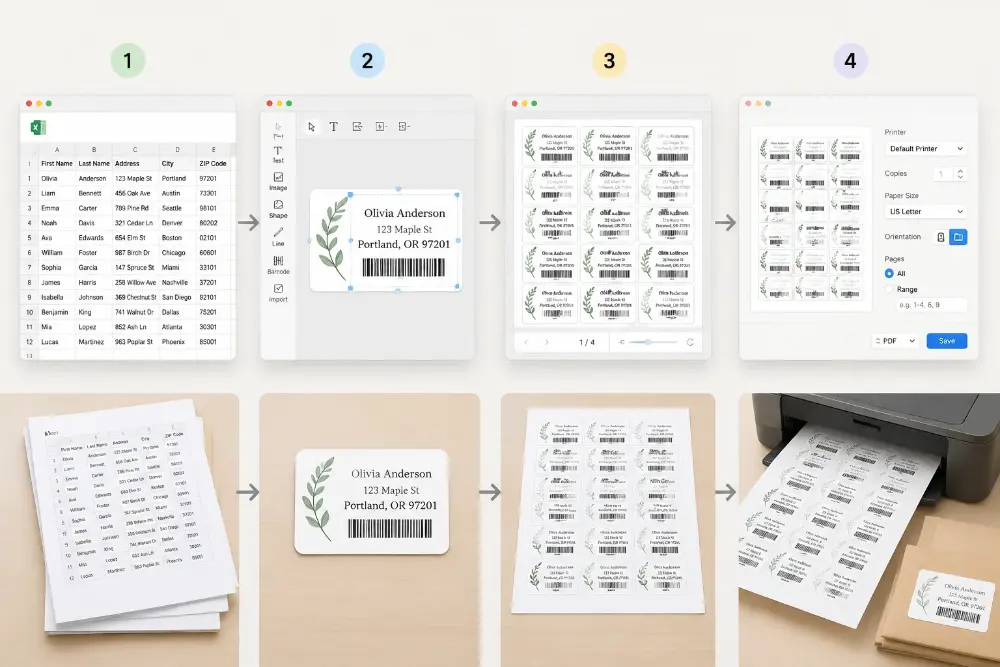
Open the list, check the design, preview the batch, export the PDF.

Start with the file your team already has.

Place fixed text and dynamic fields, then save the layout.

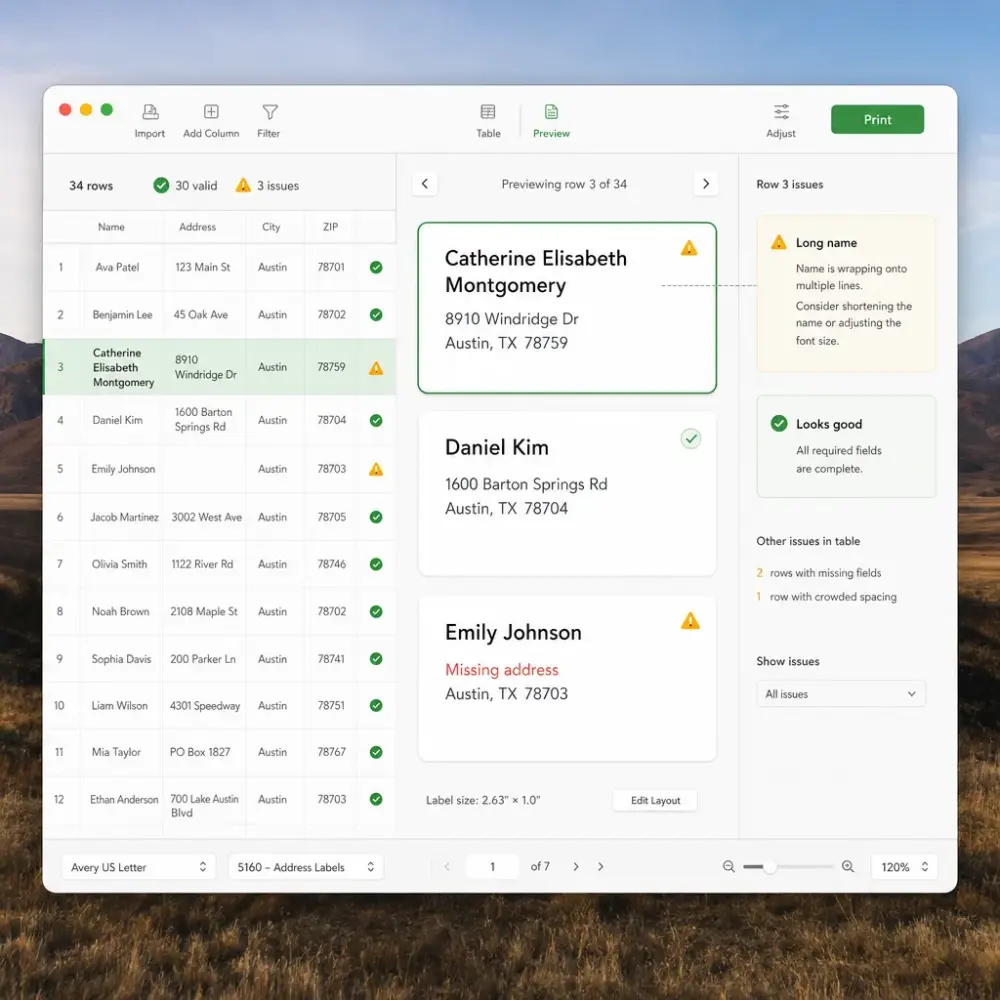
Catch long names, missing fields, and tight spacing before printing.

Create a PDF and print with your normal Mac settings.
Place text, images, codes, and fields; each new row updates the label automatically.
Connect parts of the design to spreadsheet columns so each row fills itself.
Move and resize the pieces until the label looks right before making the batch.
Keep a finished layout and reuse it when a new list arrives.
Create clean PDFs from the app once the license is active.
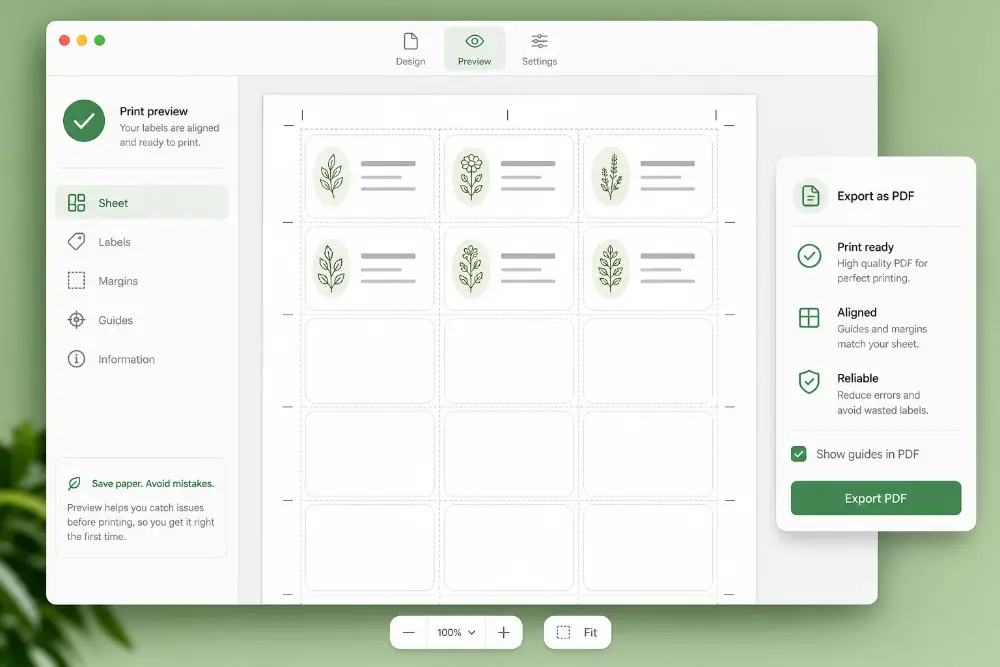
Preview the batch, adjust the layout, and export only when the labels look ready.
Set up the page once so labels land where they should on your label stock.
Test the app with your own files first. Upgrade when you are ready to export clean PDFs without the trial watermark.
Includes
Everything in Mac App, plus
Use the Mac app when label printing is a regular job and you want local files, saved designs, and predictable export costs.
| Comparison criteria | Mac App One-time desktop license | Web Version Web account plan |
|---|---|---|
Price model | $99 one-time for 1 Mac, or $199 one-time for up to 5 Macs | Pay as you go or use a monthly/yearly plan |
Costo di esportazione dopo l’acquisto | After activation, export clean PDFs locally without paying for each export. | Clean exports use your web plan or account balance. |
Best for | Repeat label jobs, local files, saved designs, shops, offices, warehouses, and back-office workstations | Quick browser jobs, occasional exports, and work you prefer to do online |
Local-first workflow | Spreadsheets, designs, and exported files stay on your Mac | Runs in the browser and uses your web account |
Output | PDF puliti pronti da stampare da macOS | PDF puliti pronti da stampare da browser |
Activation | Use checkout email and license key in the Mac app | Sign in and use credits or subscription access |
For repeat label jobs, the Mac app usually pays for itself by avoiding repeated setup work and per-export costs.
Il tempo si perde spesso tra dati, testi lunghi, controllo del layout e lotti che tornano ogni settimana.
Open local spreadsheets and save designs on your own machine. You do not need to upload a working file just to prepare a label batch.
Crea l’etichetta una volta, salvala e riusala con la lista successiva.
Check the finished batch before printing so long names, addresses, prices, and codes do not surprise you on the page.
Use the same workspace for mailing lists, product stickers, shelf tags, warehouse labels, badges, and small office batches.
Start from the spreadsheet your team already maintains instead of copying each value into a document by hand.
Export a PDF, open it on macOS, and print with the printer settings your team already understands.
The Mac app is signed and notarized so installation feels familiar and safe.
Use a dedicated app for repeat label work instead of hunting for the right browser tab every time.
Download the app, test a real batch, then upgrade only when the workflow is worth keeping.
Practical answers for teams deciding whether the desktop app fits their label routine.
Se non hai trovato la risposta che cercavi, non esitare a chiedercelo!
Install the app, try a real spreadsheet, preview the result, and upgrade when it saves time.
When the next task is a PDF, address list, or event card, these tools use the same spreadsheet-first approach.
Fill a reusable PDF template and create one finished file per row.
Make mailing labels and envelopes from contact lists.
Choose between the web app, Mac app, browser add-ons, and Google Sheets workflows.
Create guest cards and seating cards from a guest list.