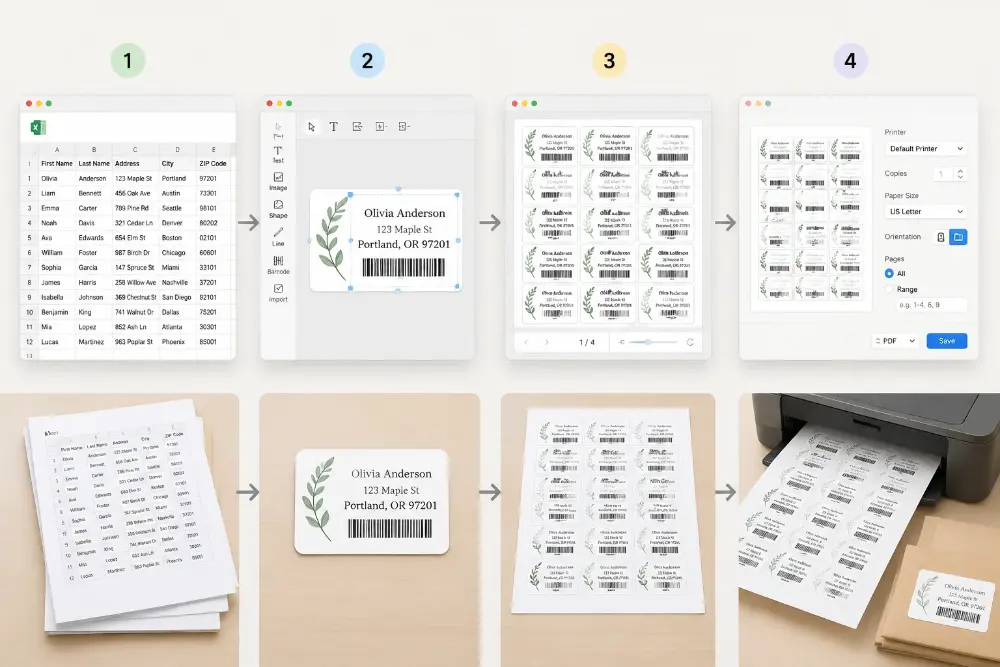
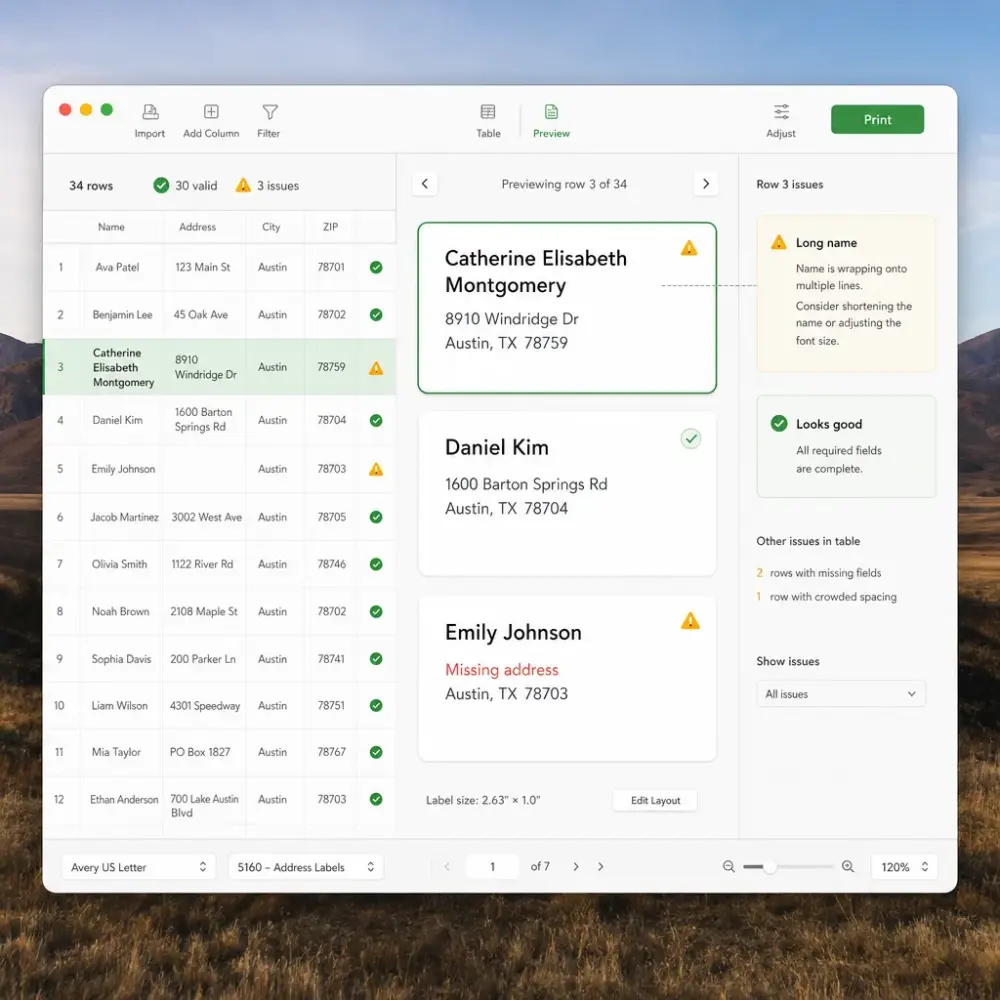
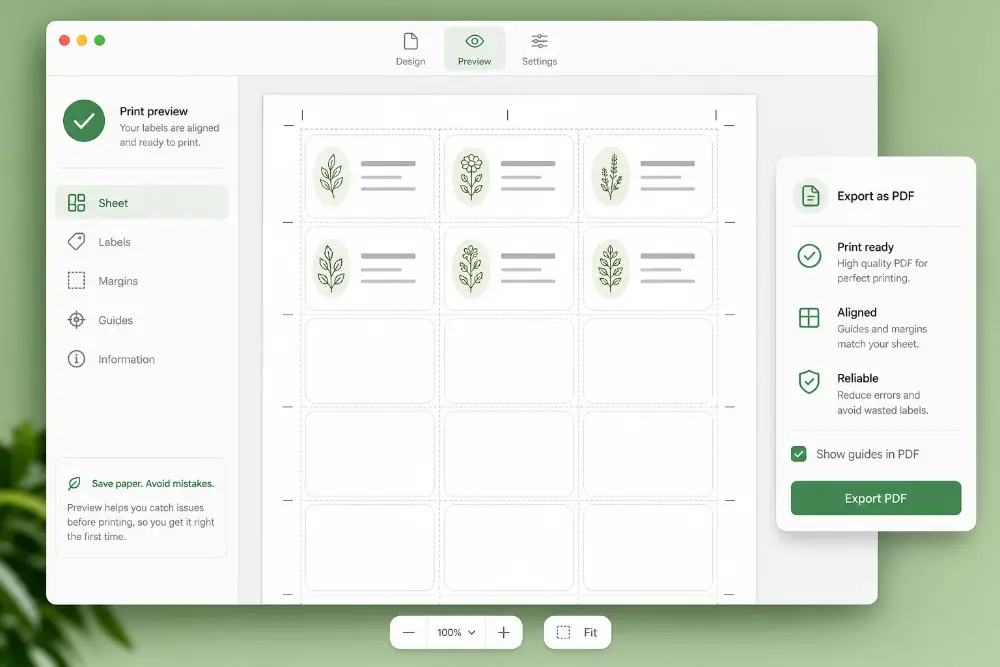
Label Designer’ın Mac masaüstü sürümünü indirin. Excel veya CSV’den etiket hazırlayın ve macOS üzerinden yazdırılmaya hazır PDF olarak dışa aktarın.
The Mac app uses the same visual editor as the web Label Designer: drag text, barcodes, QR codes, images, and spreadsheet fields onto a custom label, then export a print-ready PDF.
Try the web version at /label-designer first. If it fits your workflow, the Mac app gives you a local-first desktop version.
Excel/CSV files and designs stay on your Mac. The app prepares PDF files; printing happens through macOS and your printer settings.
The Mac license is one-time. After activation, watermark-free PDF exports do not consume web credits.
The web designer is great for quick browser tasks, shared links, and occasional exports that use credits or subscription access.
Use the web tools when you need a browser workflow. Choose the Mac app when you want a desktop-first label maker that exports print-ready PDFs.
Download the Mac app for free, then activate Pro with a website license when you need watermark-free PDF exports.
One-time license for one Mac. Includes local Excel/CSV import, barcode and QR labels, thermal sizes, custom sizes, and watermark-free PDF export.
Multi-Mac license for shops, small teams, and shared label workflows. Same desktop PDF export features with activation on up to 5 Macs.
Both versions share the same label-design workflow and export print-ready PDFs. The main difference is cost model, data location, and how often you export.
| Comparison criteria | Mac App One-time desktop license | Web Version Credits or subscription |
|---|---|---|
Price model | $49 one-time for 1 Mac, or $99 one-time for up to 5 Macs | Credits from $14.9, or monthly/yearly subscriptions |
Export cost after purchase | No web credits are deducted after the Mac license is activated; export watermark-free PDFs locally. | Watermark-free exports use credits or active subscription access. |
Best for | Regular Mac-based label work, local files, shops, warehouses, and repeated PDF exports | Quick browser jobs, shared links, cloud workflows, and occasional exports |
Local-first workflow | Excel, CSV, designs, and PDF exports stay on your Mac | Runs in the browser and uses your web account for credits/subscription access |
Output | Print-ready PDFs for address, shipping, product, barcode, QR, sheet, and thermal-size labels | Print-ready PDFs from the browser for the same label-design workflow |
Activation | Use checkout email and license key in the Mac app | Sign in and use credits or subscription access |
For frequent PDF label exports, the Mac app is usually more cost-effective because the license is one-time and exports do not spend web credits.
A local label designer for people who prepare PDF labels on a Mac.
Your designs and spreadsheet data stay on your Mac. Nothing needs to be uploaded just to prepare labels.
Design labels and generate PDFs even when the network is unreliable. Useful for shops, warehouses, and back-office workstations.
Uygulama etiket sayfaları veya termal ölçüler için PDF oluşturur. PDF’yi açıp macOS yazdırma penceresinden kendi yazıcınıza gönderirsiniz.
Create address, shipping, product, return address, barcode, QR, sheet, and thermal-size labels from the same editor.
Import local Excel or CSV files, map columns to label fields, and reuse the same design for the next batch.
Çıktı PDF olduğu için macOS ve yazıcı sürücünüzün desteklediği çoğu yazıcı ve kağıt boyutuyla çalışır.
The Mac app is signed and notarized for safer installation on macOS.
Built for Mac users who prefer a focused desktop workflow instead of keeping a browser tab open.
Download the app, test the workflow, and activate Pro when you need watermark-free PDF exports.
Current major-version updates are included. Download the latest signed DMG from this page when a new version is available.
Everything you need to know about the Mac desktop app
Aradığınız cevabı bulamadıysanız, lütfen bize sormaktan çekinmeyin!
Install the Mac desktop version of Label Designer, test the workflow, and activate Pro with a one-time website license when you need watermark-free PDF exports.
If you also generate PDFs, labels, or event stationery from spreadsheets, these web tools are the best next step.