
Print Settings
Configuring your printer for perfect alignment
The most common support request we receive is: "My labels are printing slightly off-center." This is almost always due to printer dialog settings.

Preview the print layout before exporting
Common Printer Dialogs
When you click "Print" in your PDF viewer, a system dialog opens. The options vary by OS, but look for these keywords.
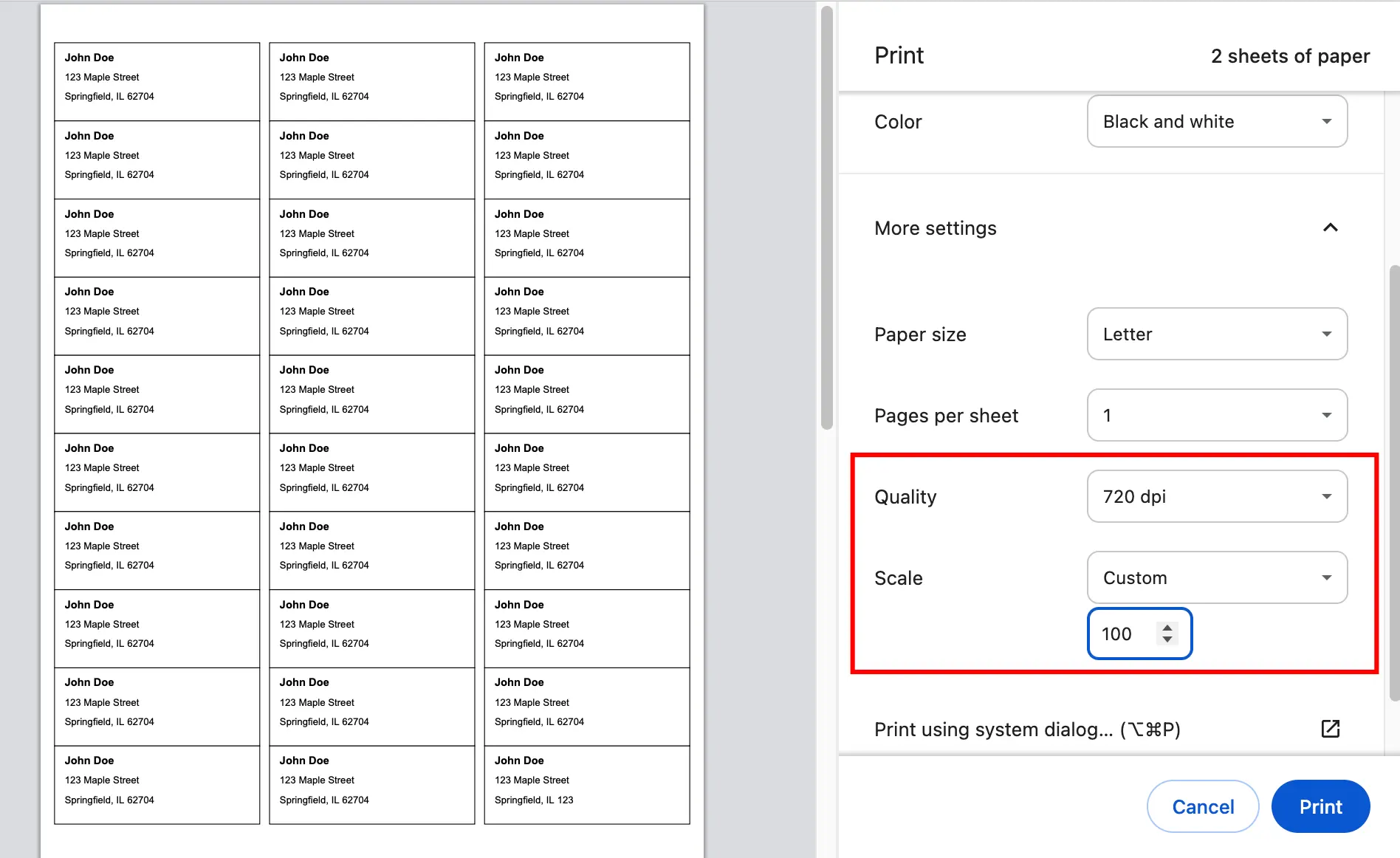
1. Scaling / Size (CRITICAL)
You must ensure the document prints at exactly 100% size.
- Select:
Actual Sizeorscale: 100%orCustom Scale: 100. - Avoid:
Fit to Page,Shrink to Fit,Fit to Printable Area.- Why? "Fit to Page" usually shrinks the content by 3-5% to ensure margins are safe, which ruins the alignment of physical labels.
2. Paper Size
Ensure the paper size in the printer settings matches your template.
- If you designed for A4, select A4 in the printer dialog.
- If you designed for Letter, select Letter.
- Mismatching these will cause drift (alignment gets worse further down the page).
3. Orientation
- Auto-rotate and Center: Usually safe to leave checked.
- Ensure portrait/landscape matches your design.
Printing a folded PDF booklet
If you have already rearranged an existing PDF into booklet order, its print settings are slightly different from a normal portrait document: keep Actual Size / 100%, use the paper size selected for the booklet, and choose duplex Flip on short edge. See How to Print a PDF as a Booklet for the full A4, Letter, folding, and proofing workflow.
Troubleshooting Alignment
If your labels are consistently off:
"Drift" (Alignment gets worse at bottom of page)
- This is a scaling issue. Check Scale: 100%.
- Check if you put Letter paper in an A4 slot (or vice versa).
"Shift" (Offset by same amount everywhere)
- E.g., Every label is 2mm too far left.
- Fix in Designer: Go to Page Settings.
- If printing too far Left -> Increase Left Margin.
- If printing too High -> Increase Top Margin.
Test Page Strategy
Never print on expensive label paper first!
- Print one page on standard plain paper.
- Take a sheet of your label paper.
- Hold them together up to a bright light (window or lamp).
- See if the printed lines align with the die-cut peel borders.
- Only print the full batch once alignment is verified.
For partially used sheets, also check Start printing at label before export. See Test Pages & Partially Used Label Sheets.