
Documentation
Everything you need to create, design, and print labels from your spreadsheet data
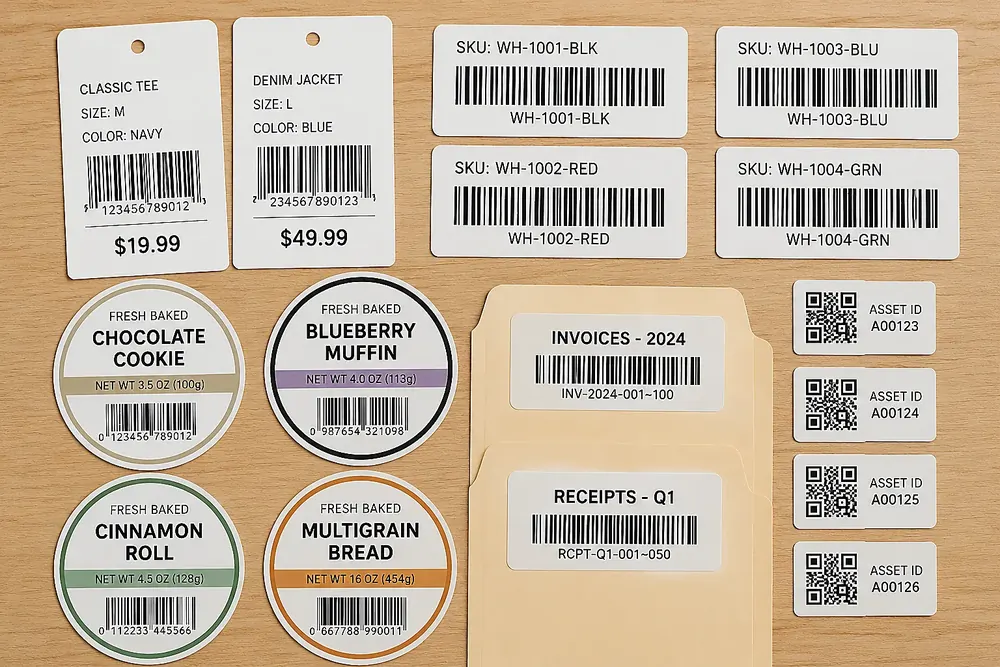
Sheets To Labels turns spreadsheet rows into print-ready labels, tags, badges, cards, and PDF outputs. Start with the workflow that matches your label job, then use the Label Designer reference when you need deeper control over text, images, barcodes, QR codes, shapes, templates, and print layout.
New Here?
Quick Start
Go from spreadsheet to printed labels in 5 minutes.
Bulk Fill PDF
Learn how to batch fill PDF forms and templates directly on our website.
Google Sheets Add-on
Install and use the PDF Mail Merge add-on within Google Sheets.
Browse by Section
| Section | What's inside |
|---|---|
| Bulk Fill PDF | Direct browser-based workflow to fill PDF forms and templates in bulk from spreadsheets |
| Google Sheets Add-on | How to install and launch the PDF Mail Merge add-on from Google Sheets |
| Business API | Generate PDFs from saved templates with a Business subscription and server-side API keys |
| Workflows | Scenario guides for address labels, product tags, barcodes, shipping labels, badges, and asset tags |
| Label Designer | Canvas, Avery presets, templates, text templates, images, shapes, barcodes, QR codes, and layout tools |
| Data Import | Google Sheets, Excel, CSV, merge fields, quantity columns, and data cleanup |
| Print & Export | PDF export, test pages, partially used sheets, export history, print settings, and alignment |
| Troubleshooting | Common errors, FAQ, blank PDF, data not showing |
| Account & Billing | Pricing, free plan, contact support |
Need Help Fast?
- Labels misaligned? Read Fix print alignment.
- Merge fields not working? Read Common errors.
- Need multiple labels per row? Read Quantity Columns & Multiple Labels.
- Printing on a partially used sheet? Read Test Pages & Partially Used Label Sheets.
- Connecting Google Sheets? Read Google Sheets import.
- Need editor controls? Read Label Designer.
- Still stuck? Go to Contact support.
Choose by Label Scenario
| Scenario | Start here |
|---|---|
| Mailing labels, return labels, Avery 5160-style sheets | Address Label Maker |
| Excel workbook to printable labels | Excel to Labels |
| Google Sheets to printable labels | Google Sheets to Labels |
| Product labels, price tags, custom sheets | Label Designer |
| Barcode and QR label batches | Bulk Barcode Generator |
| Shipping and 4x6 labels | Shipping Label Maker |
| PDF forms or templates, one PDF per row | Fill PDF from Excel or Google Sheets |
Video Tutorials
A separate video tutorial area is reserved for future walkthroughs. Written workflow guides stay organized by scenario, while videos will be grouped as visual lessons when they are published.