
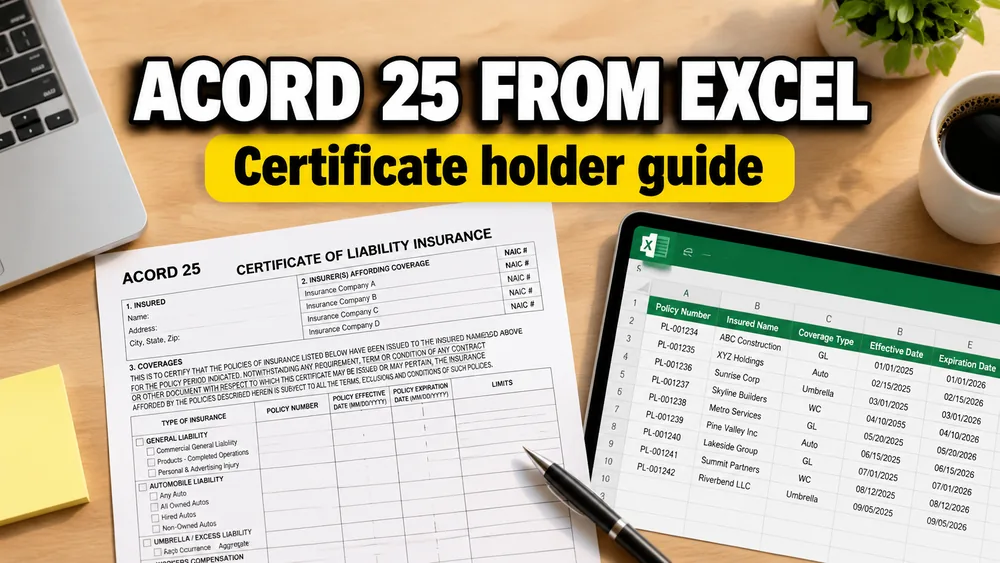
If you need an ACORD 25 template, you are usually trying to understand the form, avoid wording mistakes, and figure out how certificate holder requests should be prepared before certificates are issued.
Once you already have a licensed ACORD 25 PDF, the practical next step is to connect that template to spreadsheet rows so holder details, project details, and recurring policy data can be reviewed in a repeatable workflow.
If you want the product-first path, start with Fill ACORD 25 from Excel, Google Sheets, or CSV.
If your template is not ACORD 25, use the broader Fill PDF from Excel, Google Sheets, or CSV workflow or read How to Fill PDF Forms from Excel in Bulk.
ACORD 25 download and official form access
If you need the official ACORD 25 form, start with the ACORD Forms Portal. ACORD describes the portal as the place to search for ACORD forms by number or keyword in formats such as printable PDF and electronic fillable forms, with access tied to applicable ACORD membership or program benefits.
That distinction matters. You may see phrases like ACORD 25 download, free ACORD 25 PDF, or ACORD 25 fillable PDF, but your operating workflow should use a form your agency, brokerage, insurer, or organization is authorized to use.
This guide focuses on what to do after you have that authorized ACORD 25 PDF:
- understand the main fields
- prepare certificate holder rows
- map spreadsheet columns to the PDF
- preview high-risk wording
- export COI PDFs
ACORD 25 form fields at a glance
ACORD 25 is commonly used as a Certificate of Liability Insurance. The exact form layout and field names can vary by edition and PDF source, but the practical data areas are usually:
| ACORD 25 area | What it usually contains | Spreadsheet columns to prepare |
|---|---|---|
| Producer | Agency or broker name, address, contact, phone, email, fax | producer_name, producer_email, producer_phone |
| Insured | Named insured legal name and address | insured_name, insured_address |
| Insurers affording coverage | Carrier names and NAIC numbers | insurer_a, insurer_a_naic, insurer_b |
| Coverages | General liability, auto liability, umbrella or excess, workers compensation, other coverage rows | coverage_type, policy_number, effective_date, expiration_date, limits |
| ADDL INSD / SUBR WVD | Additional insured and waiver of subrogation indicators when supported by the policy or endorsement | additional_insured_wording, waiver_of_subrogation |
| Description of operations | Project, location, contract, endorsement, or remarks wording | project_name, jobsite_address, description_of_operations |
| Certificate holder | The party receiving the certificate | certificate_holder_name, certificate_holder_address |
| Authorized representative | Signature or authorized issuer details | Usually handled in the approved template |
For bulk work, separate fields that rarely change from fields that change on every request. Producer, insured, carrier, policy number, dates, and limits often stay stable for a policy period. Certificate holder, project, jobsite, and description wording are the row-by-row fields.
Common ACORD 25 use cases
ACORD 25 requests usually appear when another party needs proof of liability insurance before approving work, access, payment, or participation.
Common scenarios include:
- contractors and subcontractors sending COIs to a general contractor or project owner
- vendors proving coverage before starting a client contract
- commercial tenants sending proof of insurance to a landlord or property manager
- event organizers sending coverage details to a venue
- service businesses responding to procurement or compliance requests
- agencies issuing many certificate holder copies for the same insured
The Excel workflow is most useful when those requests arrive in a list. Instead of editing the same certificate repeatedly, you prepare one row per holder or request, map the fields once, and review the generated PDFs before delivery.
Why ACORD 25 work gets confusing
Many ACORD 25 resources focus on blank-template downloads or basic field-by-field explanations.
That helps when someone only wants to look at the form.
It does not help much when the real job is:
- the agency already has an approved ACORD 25 template
- the policy data is mostly the same each time
- the certificate holder changes from row to row
- the description wording, project name, or jobsite changes with each request
That is where a practical template guide becomes more useful than another blank-template page.
What you may need from an ACORD 25 template
In practice, the template question can mean several different needs:
- find a fillable ACORD 25 PDF
- understand what each field means
- create one COI for a landlord, GC, venue, or client
- issue many certificates without retyping the same policy data
- avoid mistakes in certificate holder wording, additional insured wording, or policy dates
The first two needs are about the form itself.
The last three are operational. That is the gap this workflow solves.
The repeated part of ACORD 25 work
Most ACORD 25 requests reuse the same core insurance details:
- producer information
- named insured
- insurers
- policy numbers
- effective dates
- expiration dates
- limits
What changes more often is:
- certificate holder name
- certificate holder address
- project or jobsite
- description of operations
- additional insured wording
- waiver of subrogation wording
- delivery contact or filename
That is why ACORD 25 is a strong fit for a spreadsheet-driven batch workflow. The stable data stays mapped, while the request-specific rows change.
Common ACORD 25 pain points
These are the places where COI batches usually break down.
1. Certificate holder is not the same as additional insured
This is one of the most common misunderstandings.
The certificate holder is the party receiving the certificate.
The additional insured status depends on the policy and endorsement, not just on what is typed into the holder block.
That matters because teams often copy holder text into the wrong place or assume the holder automatically becomes additional insured. A preview-and-review workflow helps catch that before the batch goes out.
2. Description of operations wording gets too long
Construction, property management, and event work often need long wording for:
- project names
- locations
- additional insured language
- waiver of subrogation language
- primary and non-contributory language
If that content no longer fits, the certificate can become hard to read or incomplete. When more space is needed, the workflow should let you spot that early so you can decide whether an ACORD Forms Portal form plus ACORD 101 remarks handling is needed in your process.
3. Old policy dates and limits get copied forward
When a team edits one certificate at a time, it is easy to miss:
- a renewed policy number
- a changed expiration date
- revised limits
- the wrong insurer row
Keeping those values in spreadsheet columns makes them easier to inspect before exporting the full set.
4. The ACORD 25 PDF is not truly fillable
Many teams ask for a fillable ACORD 25 PDF, but the actual file they use internally may still need visual mapping or careful field checks.
That is why it helps to have a workflow that supports both:
- existing fillable fields
- static or awkward PDFs that need visual placement
How to use an ACORD 25 template with spreadsheet data
1. Start with your own authorized ACORD 25 PDF
Use the exact template your agency or organization is permitted to use.
This workflow does not provide ACORD forms or licensing. It fills the template you upload.
If you need the official form itself, use the ACORD Forms Portal. The portal is an access-controlled forms source, so the practical workflow is usually: obtain the authorized form first, then bring that PDF into your spreadsheet-driven COI process.
2. Keep one certificate request per spreadsheet row
Useful columns often include:
certificate_holder_namecertificate_holder_addressproject_namejobsite_addressdescription_of_operationsadditional_insured_wordingwaiver_of_subrogationinsured_namecarrierpolicy_numbereffective_dateexpiration_datecertificate_numberfile_name
3. Map the stable fields and the changing fields separately
The cleanest setup is usually:
- stable policy and insured values stay in their mapped positions
- request-specific holder and project values come from each row
That reduces the odds of retyping the whole certificate every time.
4. Preview the rows most likely to fail
Do not preview only the cleanest sample.
Test:
- the longest certificate holder name
- the longest address
- the row with the longest description wording
- any row with additional insured or waiver language
- any row with unusual limits or coverage notes
5. Export one COI PDF per row or one merged review file
Separate PDFs are useful when each holder receives a different certificate.
A merged review PDF is useful when an account manager, producer, or compliance reviewer wants to inspect the whole batch before delivery.
When this is better than editing one certificate at a time
This approach is a better fit when:
- the same insured and policy details repeat often
- you receive holder requests in a spreadsheet
- the final deliverable must stay a PDF
- your team wants a repeatable COI process without rebuilding the form in Word
If your need is broader than ACORD 25, see Fill PDF from Excel or Google Sheets.
If the ACORD 25 PDF has no usable form fields, the same visual mapping pattern is covered in How to Fill a Non-Fillable PDF from Excel or Google Sheets.
Frequently asked questions
Where can I download ACORD 25?
For the official form, use the ACORD Forms Portal or the authorized forms system your agency, insurer, or organization already uses. This workflow fills an ACORD 25 PDF you upload; it does not distribute blank ACORD forms.
Do I need an official ACORD 25 template first?
Yes. You should start with the ACORD 25 PDF your organization is authorized to use. This workflow fills your uploaded template; it does not provide ACORD forms.
What fields are on ACORD 25?
Common ACORD 25 field areas include producer, insured, insurers, coverage rows, policy numbers, effective and expiration dates, limits, additional insured or waiver indicators, description of operations, certificate holder, and authorized representative.
Can I use Google Sheets or CSV for the same holder-row setup?
Yes. The same holder-row workflow works with Excel, Google Sheets, and CSV.
Can one row become one certificate?
Yes. That is the core batch model for ACORD 25 COIs.
What if the holder wording is longer than the space allows?
Preview the difficult rows first. If the wording is too long, adjust the mapping, shorten the row content where allowed, or route that case through a process that includes additional remarks handling.
When you are ready for the actual workflow
Fill ACORD 25 from Excel, Google Sheets, or CSV is built for teams that already have the PDF and the holder data, but want a faster way to issue consistent COIs without retyping the same policy information every time.