
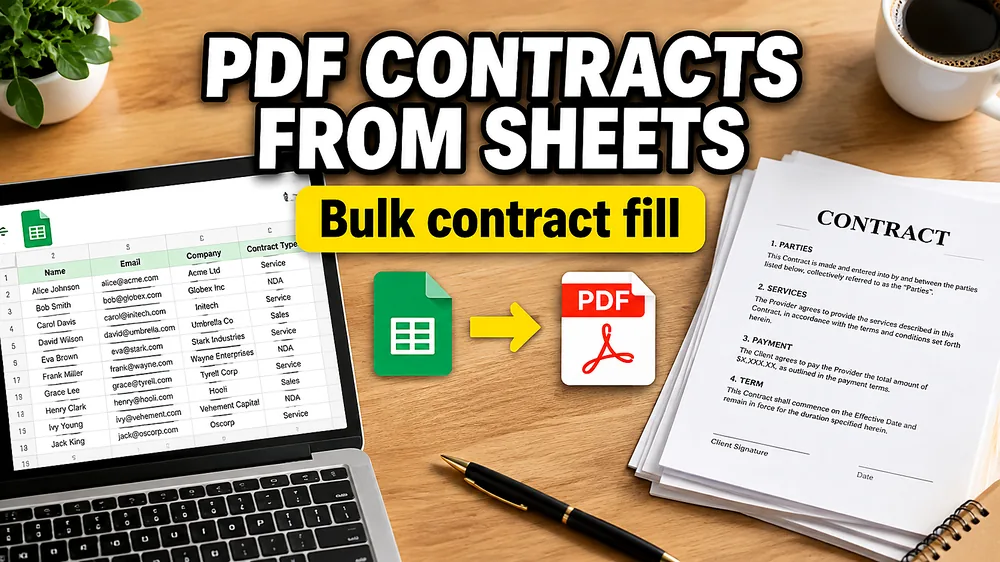
Contract workflows often look more “document-heavy” than they really are.
Behind the PDF, a lot of the data is usually already structured:
- client name
- contract start date
- fee
- address
- internal contract ID
That is why Google Sheets can become the simplest place to manage contract variables before generating the actual PDFs.
When teams need to fill PDF contracts from Google Sheets, the real goal is usually not generic document automation. It is a repeatable way to take spreadsheet rows and turn them into finished agreements without editing each file by hand.
If you want the product-first path for this use case, start with Automate PDF Contracts from Google Sheets. For the broader PDF template workflow, read How to Fill PDF Forms from Excel in Bulk.
Why Google Sheets is a good source for contracts
Google Sheets works well for contract generation because it is:
- collaborative
- easy to review
- easy to update before final export
- already used by operations, sales, HR, and legal-adjacent teams
One row can represent one contract package. That keeps review and generation separate from layout design.
A common contract scenario
Imagine an operations team preparing 75 service agreements for a new client batch.
The template is approved.
The legal wording is fixed.
The changing fields are already sitting in Google Sheets:
- company name
- sign date
- plan amount
- contract number
The team does not want to:
- copy values into 75 PDFs manually
- rebuild the contract in Word
- introduce formatting or naming inconsistencies
What they need is a contract PDF mail merge workflow.
The complication: many contract PDFs are not fillable
Some contracts are interactive fillable PDFs, but many are not. A lot of contract templates are just ordinary PDFs exported from Word or a design workflow.
That means support for non-fillable contracts matters more than many teams expect.
If the PDF has no built-in fields, the workflow shifts from field detection to visual mapping. That is the same core problem described in How to Fill a Non-Fillable PDF from Excel or Google Sheets.
How to fill PDF contracts from Google Sheets
1. Prepare the sheet
Use one row per agreement.
Typical columns include:
client_nameeffective_datecontract_idservice_feeaddress
2. Upload the contract PDF template
This can be:
- a fillable contract form
- or a standard non-fillable PDF contract
3. Map the fields
Examples:
client_name-> party sectioneffective_date-> agreement start datecontract_id-> internal referenceservice_fee-> payment terms area
4. Preview edge cases
For contracts, preview:
- long legal entity names
- multi-page layouts
- spacing around currency values
- sections with optional blanks
5. Generate one contract per row
That gives you a reusable bulk contract workflow without rebuilding the document each time.
Why this is better than editing one contract at a time
Manual contract generation creates hidden costs:
- more review time
- more room for copy-paste mistakes
- less consistency across versions
Google Sheets-based PDF generation solves that by treating the spreadsheet as data and the PDF as the template.
Where this workflow fits best
This approach is useful for:
- service agreements
- client onboarding packs
- HR offer letters and employment documents
- vendor agreements
- recurring account paperwork
If your Google Sheets workflow is less about agreements and more about employee compensation documents, see How to Generate Employee Compensation Documents from Excel or Google Sheets.
A practical option
Fill PDF from Excel, Google Sheets, or CSV supports Google Sheets inputs, visual mapping, and multi-page PDF generation.
If this is your main use case, see Automate PDF Contracts from Google Sheets.
If the agreement output should be one file per row, pair this with How to Generate One PDF Per Row from Excel. If the source is a local workbook instead of a shared sheet, use How to Fill PDF Forms from Excel in Bulk.
Frequently asked questions
Can I use a non-fillable contract PDF?
Yes. That is common. You need a visual mapper rather than a tool that only reads built-in fields.
Can one Google Sheets row generate one contract?
Yes. That is the standard one-row-to-one-PDF model.
Can this work for multi-page contracts?
Yes, as long as the mapping tool supports multiple pages.
Is this basically contract PDF mail merge?
Yes. It is a spreadsheet-to-PDF contract generation workflow.
Fill PDFs from Excel, Google Sheets, or CSV
If you need to map spreadsheet data onto fillable or non-fillable PDF templates, try filling PDFs from Excel, Google Sheets, or CSV with PDF Mail Merge. It supports one PDF per row, merged review files, and ZIP exports.
Related reading
- PDF Mail Merge from Google Sheets
- How to Fill a Non-Fillable PDF from Excel or Google Sheets
- How to Fill PDF Forms from Excel in Bulk
- How to Generate One PDF Per Row from Excel
- How to Batch Fill PDF Forms Without Acrobat
- How to Generate Employee Compensation Documents from Excel or Google Sheets
- Automate PDF Contracts from Google Sheets
- PDF Mail Merge guide