
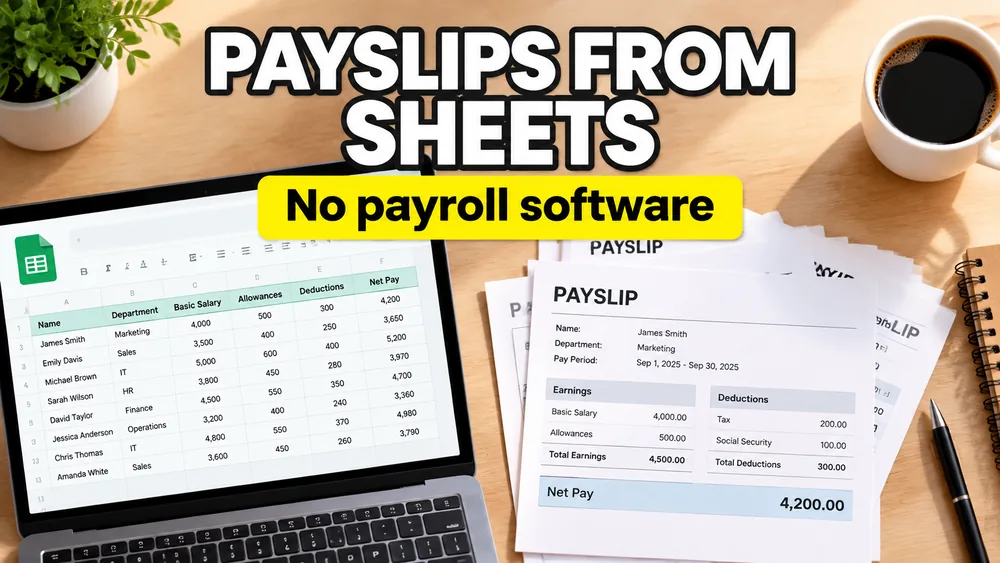
Sometimes the problem is not payroll calculation.
The calculation is already done.
The real problem is turning reviewed payroll data into employee-ready PDF documents without buying a new payroll platform just for document output.
That is when the question usually becomes:
How do we create payslips from Google Sheets without payroll software?
Usually, they already have:
- a shared sheet with final values
- an approved payslip layout
- a need to generate one PDF per employee
What they do not have is a clean bridge between the spreadsheet and the PDF.
Why Google Sheets becomes the last-mile payroll tool
Google Sheets is often where payroll-adjacent teams do the final review.
Even when the source data starts elsewhere, the final handoff often lands in a sheet because it is:
- easy to share
- easy to review
- easy to update
- easy to approve before generation
That makes Google Sheets a practical source for payslip generation, especially when the document layout is already fixed.
A common scenario
Imagine a small HR team working across two offices.
They do not want a heavyweight payroll document system for every pay cycle. They already maintain the reviewed output in Google Sheets:
- employee name
- pay period
- gross pay
- deductions
- net pay
Now they need a payslip PDF for each row.
What they want to avoid is:
- copying values into a PDF one by one
- rebuilding payslips in Google Docs
- using a workflow that breaks when formatting shifts
That is where Google Sheets to payslip PDF generation fits.
Why you may not need extra payroll software
Many teams are not looking to replace payroll systems.
They are looking to avoid buying extra payroll software just to solve the final document step.
The payroll values already exist.
The missing piece is:
- a PDF template
- a mapping layer
- batch generation
That is why this problem is closer to PDF mail merge from Google Sheets than to payroll system setup.
The PDF may not be fillable
This is where many workflows get stuck.
The payslip template may be:
- a vendor-exported PDF
- a static HR form
- a Word-designed PDF
- a branded document with no interactive fields
If the PDF is non-fillable, the tool has to map values visually onto the page instead of relying on embedded fields.
For that broader workflow, see How to Fill a Non-Fillable PDF from Excel or Google Sheets.
How to create payslips from Google Sheets
1. Use one row per employee
Common columns include:
employee_nameemployee_idpay_periodgross_paydeductionsnet_pay
2. Upload the payslip PDF template
This can be:
- a fillable PDF
- a non-fillable payslip PDF
- a multi-page salary statement
3. Map the columns to the template
Examples:
employee_name-> employee blockpay_period-> statement headergross_pay-> earnings summarydeductions-> deduction sectionnet_pay-> final total
4. Preview several real rows
Check:
- long names
- blank optional fields
- decimal formatting
- large values
5. Generate one payslip PDF per row
This turns Google Sheets into the source of truth and the PDF into the reusable output template.
Why this works better than Google Docs mail merge
Google Docs mail merge is fine for simple letters.
Payslips usually need:
- stricter layout control
- fixed PDF output
- support for non-fillable templates
- one-row-per-PDF generation
That makes a PDF mapper a better fit than a document-mail-merge workaround.
A privacy-first payslip workflow
Payslips contain personal and financial data, so the workflow should minimize unnecessary exposure.
A local, browser-based editor is a better fit when you want:
- fewer risky handoffs
- less manual file handling
- better control over sensitive data during generation
A practical option
PDF Mail Merge supports Google Sheets-driven PDF mapping and batch generation for fillable and non-fillable templates.
If you want the broader scenario page, see How to Generate Payroll PDFs from Excel or Google Sheets. If your workflow is more generally spreadsheet-driven, also see PDF Mail Merge from Google Sheets. If you are preparing formal HR compensation documents after a review cycle, see How to Generate Employee Compensation Documents from Excel or Google Sheets.
Frequently asked questions
Can Google Sheets generate one payslip PDF per employee?
Yes. Each row can represent one employee record, and each row can generate one PDF.
Do I need payroll software to create payslip PDFs?
No. If the payroll values are already in Google Sheets, you mainly need a PDF template and a mapping workflow.
Can I use a non-fillable payslip PDF?
Yes. A visual mapper can place the values on a static template.
Fill PDFs from Excel, Google Sheets, or CSV
If you need to map spreadsheet data onto fillable or non-fillable PDF templates, try filling PDFs from Excel, Google Sheets, or CSV with PDF Mail Merge. It supports one PDF per row, merged review files, and ZIP exports.