
Nobody starts with a bulk pay stub generator on day one.
The need usually appears after a payroll team has already spent too many cycles doing the same work by hand:
- open the pay stub template
- paste the employee name
- paste the pay period
- paste earnings and deductions
- export the PDF
- repeat again for the next employee
That process feels manageable at 5 documents.
It breaks down at 75.
It becomes a real operational problem at 300.
That is when the question becomes:
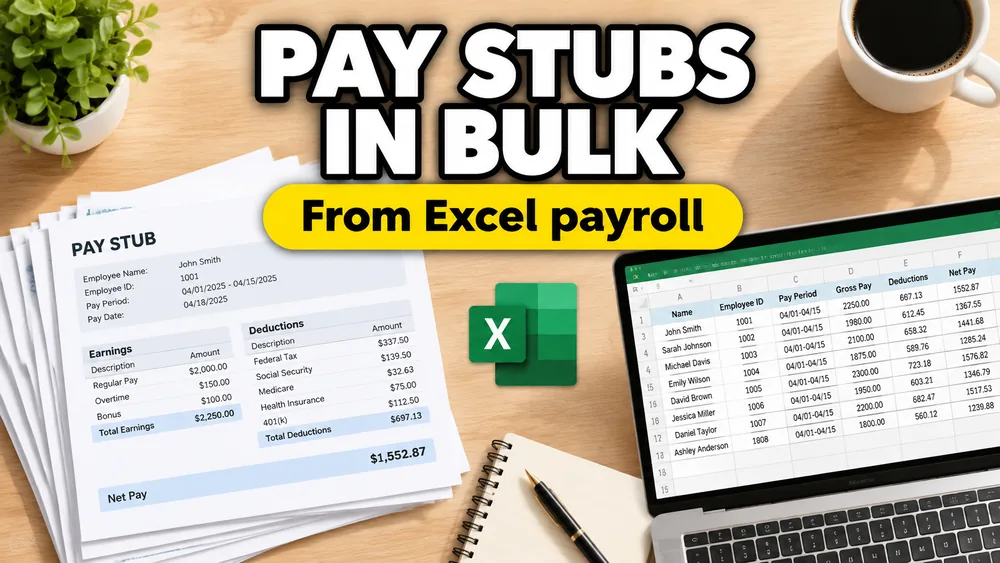
How do we generate pay stubs in bulk from Excel without editing every PDF by hand?
Why Excel is often the starting point for pay stub generation
Payroll teams often already have the data in Excel, even if the final document still lives in PDF.
That spreadsheet may come from:
- a payroll system export
- an HR report
- a finance handoff
- a cleaned internal review file
The values are structured already:
- employee name
- employee ID
- pay period
- gross wages
- deductions
- net pay
Once that is true, the problem is not data entry anymore. It is document generation.
A realistic bulk pay stub workflow
Imagine a payroll administrator preparing biweekly pay stubs for 220 employees.
The company already has:
- a standard pay stub layout
- a spreadsheet export for the pay run
- an internal review step before sending documents out
What the team does not want is a workflow built on:
- manual copy-paste
- dozens of opportunities for misalignment
- file naming mistakes
- last-minute rework when one field shifts on the page
This is exactly the kind of situation where Excel-to-pay-stub PDF generation makes sense.
The hidden challenge: the pay stub PDF may not be fillable
Some pay stub templates are interactive fillable PDFs.
Many are not.
A pay stub might be exported from:
- payroll software
- Word
- a static HR template
- a finance system
That means the PDF may have no built-in fields to detect. It is just a fixed layout.
When that happens, the right workflow is not simple form filling. It is template mapping: connecting spreadsheet columns to visual positions on the PDF.
If that is your case, the broader explanation is in How to Fill a Non-Fillable PDF from Excel or Google Sheets.
How to generate pay stubs in bulk from Excel
1. Use one row per employee document
Typical columns include:
employee_nameemployee_idpay_periodgross_paydeductionsnet_pay
If your Excel file contains extra review columns, clean those out before mapping or keep them separate from the generation sheet.
2. Upload the pay stub PDF template
This can be:
- a fillable PDF
- a non-fillable pay stub PDF
- a one-page pay stub
- a multi-page payroll summary
3. Map fields once
Examples:
employee_name-> employee identity blockpay_period-> payroll headergross_pay-> earnings sectiondeductions-> deductions tablenet_pay-> totals area
Once that mapping is correct, you do not need to rebuild it for every pay run.
4. Preview edge cases
Pay stub layouts can break on:
- long employee names
- unusual deduction combinations
- large values
- blank optional fields
Previewing several rows matters more than previewing just one perfect case.
5. Generate one pay stub PDF per row
That gives you a batch payroll document workflow instead of a manual PDF editing workflow.
Why this is better than spreadsheet-to-Word workarounds
Some teams try to rebuild pay stubs with Word mail merge.
That can work for simple letters, but payroll documents usually need:
- fixed PDF layout
- consistent print output
- precise positioning
- better control over static templates
That is why pay stubs are usually better handled as PDF mail merge from Excel rather than Word mail merge.
For a broader comparison, see PDF Mail Merge vs Word Mail Merge.
Privacy is not optional in payroll
Pay stub workflows contain sensitive financial and personal data.
That changes the tool requirements.
Teams usually want:
- minimal exposure of employee compensation data
- fewer ad hoc file handoffs
- a predictable review-and-generate workflow
A local, privacy-first browser workflow is a much stronger fit than sending payroll records through a generic remote PDF pipeline.
A practical way to do it
PDF Mail Merge supports Excel-based PDF template mapping and one-row-per-PDF generation for both fillable and non-fillable templates.
If you want the broader payroll workflow, see How to Generate Payroll PDFs from Excel or Google Sheets. If you need more statement-style employee documents, see How to Generate Employee Compensation Documents from Excel or Google Sheets.
Frequently asked questions
Can Excel generate pay stubs in bulk?
Yes. If each spreadsheet row represents one employee document, Excel can drive a batch pay stub PDF workflow.
Do pay stubs have to use fillable PDFs?
No. Many pay stub templates are static PDFs, so a visual mapper is often necessary.
Is this the same as payroll PDF mail merge?
Yes. In many cases, bulk pay stub generation is just a payroll-specific PDF mail merge workflow.
Fill PDFs from Excel, Google Sheets, or CSV
If you need to map spreadsheet data onto fillable or non-fillable PDF templates, try filling PDFs from Excel, Google Sheets, or CSV with PDF Mail Merge. It supports one PDF per row, merged review files, and ZIP exports.
Related reading
- How to Generate Payroll PDFs from Excel or Google Sheets
- How to Generate Employee Compensation Documents from Excel or Google Sheets
- How to Generate One PDF Per Row from Excel
- How to Fill Tax Forms in Bulk from Excel
- How to Fill a Non-Fillable PDF from Excel or Google Sheets
- PDF Mail Merge vs Word Mail Merge
- PDF Mail Merge guide