
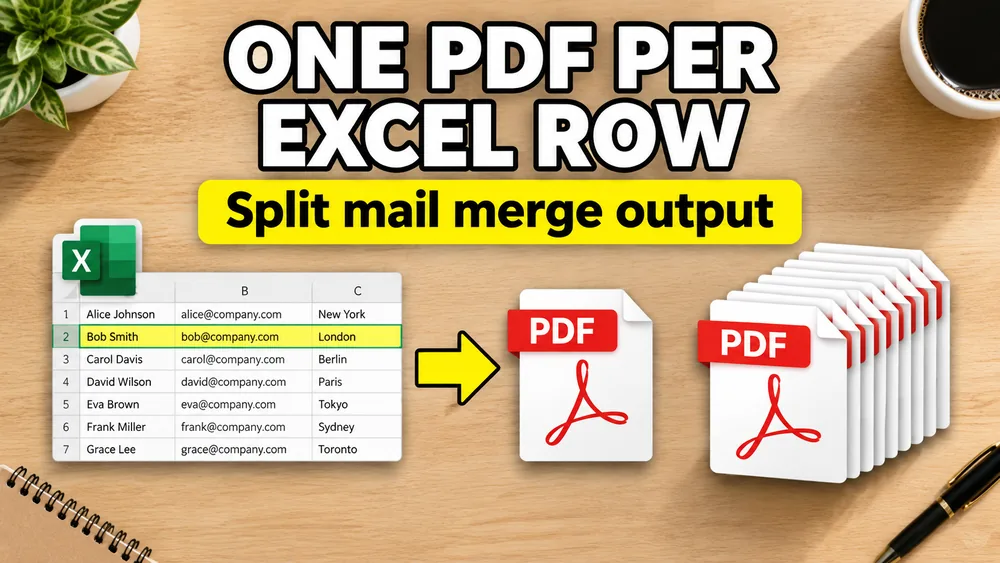
Need one PDF per Excel row now? Open Fill PDF from Excel, upload the workbook and PDF template, map columns once, preview, then export separate PDFs or a ZIP. This guide explains the output model; the tool page is where you run the batch.
To generate one PDF per row from Excel, keep one record per row, upload the PDF template, map the spreadsheet columns, preview a few sample rows, and export one file for every row.
The key steps are:
- Keep one record per row
- Upload the PDF template
- Map the spreadsheet columns
- Preview sample rows
- Export one PDF per row

Fill PDF forms from Excel automatically - one PDF per row
If you have an Excel spreadsheet and need one personalized PDF for each row (often described as the one row to one PDF pattern), you are looking to auto-populate PDF templates for batch document generation.
Common examples include:
- one invoice per customer
- one certificate per attendee
- one badge per guest
- one contract per employee
The underlying model is simple:
one spreadsheet row = one output PDF
If you still need the broader setup flow, start with Fill PDF from Excel. If your rows come from CSV or Google Sheets, use the same tool with those sources, or read the shorter notes on CSV and Google Sheets.
What you need
To generate one PDF per row from Excel, you need:
- an Excel file
- a PDF template
- a field mapping step
The template can be:
- fillable
- non-fillable
- single-page
- multi-page
Why template mapping matters
Many people start by looking for an "Excel to PDF converter," but that is not quite the same thing.
The real task is:
- keep a designed PDF template
- inject row-specific values into it
- generate a separate PDF for each row
That is why this is better described as PDF mail merge or template-based PDF generation.
How to generate one PDF per row from Excel
1. Structure the spreadsheet
Use headers like:
full_namedocument_idissue_dateamount
2. Upload your PDF template
You can use a fillable form or a normal PDF template.
3. Map the fields
If the PDF is fillable, bind each Excel column to a field.
If the PDF is non-fillable, place the values visually on the page.
4. Test a few rows
Preview:
- the shortest values
- the longest values
- edge cases with blanks
5. Generate individual PDFs with custom filenames
Once the mapping is correct, export one PDF for every row in the spreadsheet.
Use a filename pattern based on spreadsheet columns, such as Invoice_{invoice_number} or Certificate_{full_name}. That produces individual PDFs that are ready to send, archive, or download together as a ZIP without renaming every file manually.
Good use cases for one-PDF-per-row generation
This workflow is ideal for:
- invoices
- certificates
- pay stubs
- packing slips
- shipping documents
- membership cards
- offer letters
A practical tool for this workflow
Fill PDF from Excel, Google Sheets, or CSV supports Excel uploads, PDF template mapping, and one-PDF-per-row batch generation in a local, privacy-first browser workflow.
It also works when the PDF template is not fillable, which is often the missing requirement.
If your template is static, read How to Fill a Non-Fillable PDF from Excel or Google Sheets.
If each row represents a student, attendee, employee, or award recipient, use the Bulk Certificate Generator from Excel or CSV. For the detailed setup, read How to Generate Bulk Certificates from Excel.
For other document types, see How to Fill PDF Invoices from Excel, How to Fill PDF Contracts from Google Sheets, How to Fill Tax Forms in Bulk from Excel, and How to Generate Pay Stubs in Bulk from Excel.
Frequently asked questions
Can Excel create one PDF per row automatically?
Yes, with a PDF mail merge workflow. Each Excel row is merged into a PDF template to produce one output file.
Does the PDF need to be fillable?
No. Fillable PDFs are easier to inspect, but non-fillable PDF templates can also work if the tool supports visual mapping.
Can I zip all generated PDFs together?
Yes. Many batch PDF generators let you export a ZIP of individual documents.
Fill PDFs from Excel, Google Sheets, or CSV
If you need to map spreadsheet data onto fillable or non-fillable PDF templates, try filling PDFs from Excel, Google Sheets, or CSV with PDF Mail Merge. It supports one PDF per row, merged review files, and ZIP exports.