
Create GHS Hazard Labels in MinutesGHS Labels
Turn Excel, CSV, Google Sheets, or SDS fields into print-ready GHS hazard labels, chemical labels, SDS labels, and WHMIS-style workplace labels. Add product identifiers, signal words, pictograms, H/P statements, supplier details, and SDS QR codes, then export an Avery-ready PDF for secondary containers, lab bottles, spray bottles, drums, and chemical inventory.
Built for teams that already track chemicals in spreadsheets. This tool helps format and print labels from your SDS data; it does not replace professional hazard classification or legal review.


For labs, cleaning teams, schools, warehouses and small manufacturers

Try the GHS hazard label builder
Paste a chemical spreadsheet, validate SDS / WHMIS fields, preview GHS pictograms, and export Avery-ready hazard label PDFs.
Import and edit SDS data
3 chemical rows ready. Quantity expands into 12 printable labels.
Common chemical presets
Start from UNC-style 2 x 3.75 in chemical labels, then review every field against the current SDS before printing.
| Actions | Product | Product ID | Asset ID | Serial | Location | Qty | Price |
|---|---|---|---|---|---|---|---|
1. Acetone
Acetone · Flammables cabinet A
2. Sodium Hydroxide 10%
Sodium Hydroxide 10% · Wet lab shelf 2
3. Isopropyl Alcohol
Isopropyl Alcohol · Cleaning cart
Preview and export hazard labels
Add data fields
16Click an imported column, add fixed text, upload an image, or paste text/image from the clipboard.
GHS label preview
GHS label workflow
3 chemical rows ready. Quantity expands into 12 printable labels.
GHS label preview
From Chemical Spreadsheet to Printable Hazard Labels
Import chemical inventory rows with SDS links, WHMIS/GHS fields, and container quantities, then turn them into print-ready hazard labels, chemical labels, SDS labels, and WHMIS-style workplace labels.
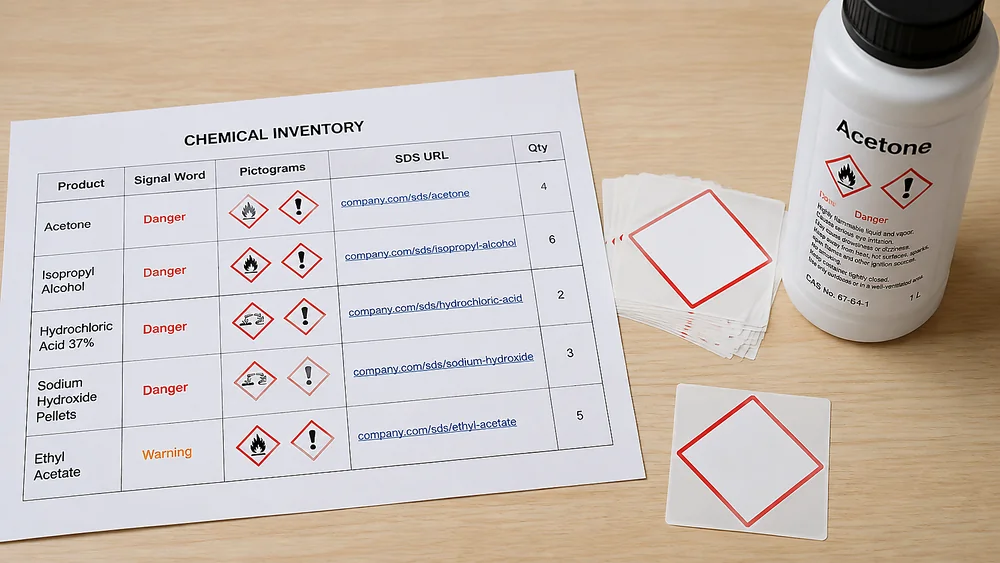
Import Excel or CSV
Upload product identifiers, CAS numbers, signal words, pictogram codes, H/P statements, supplier details, SDS URLs, locations, label sizes, and print quantities.
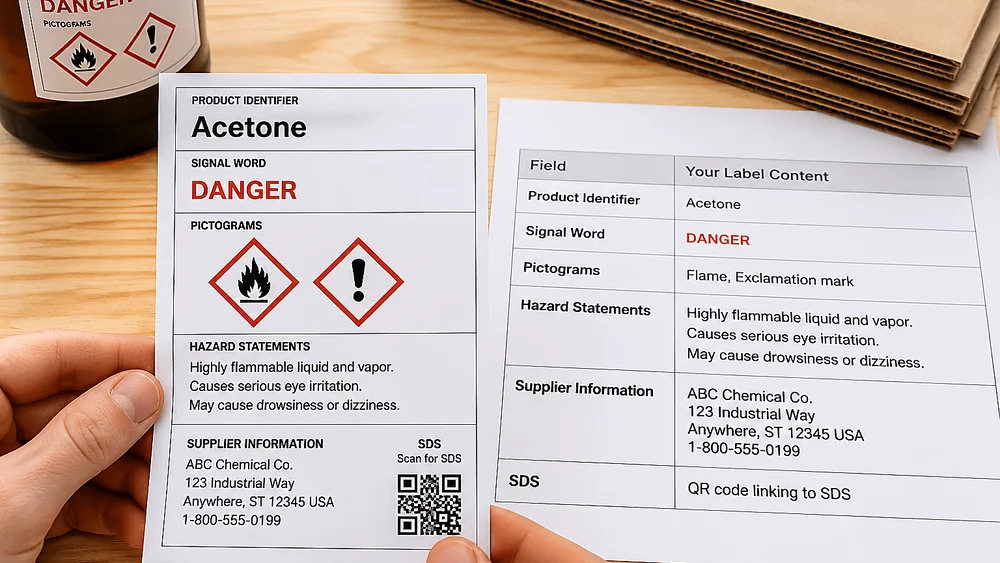
Map SDS and WHMIS/GHS fields
Match spreadsheet columns to hazard label fields. Support comma-separated pictograms, H-code and P-code columns, WHMIS/GHS terms, freeform statement text, and QR links to safety data sheets.
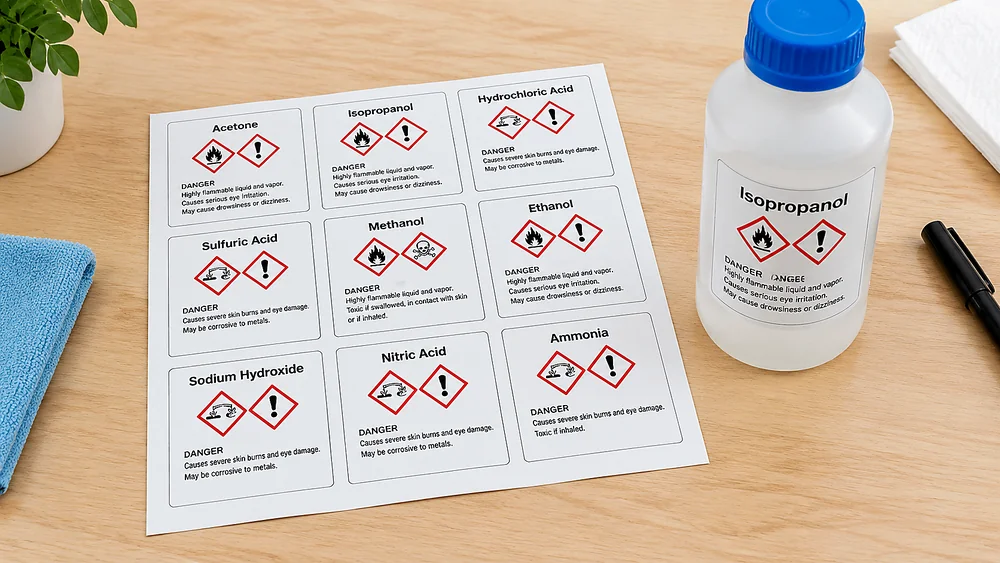
Preview Avery sheets
Choose 2 x 4 in, 3.5 x 5 in, full-sheet, A4, Letter, or thermal label layouts. Quantity fields expand one row into multiple printable labels.
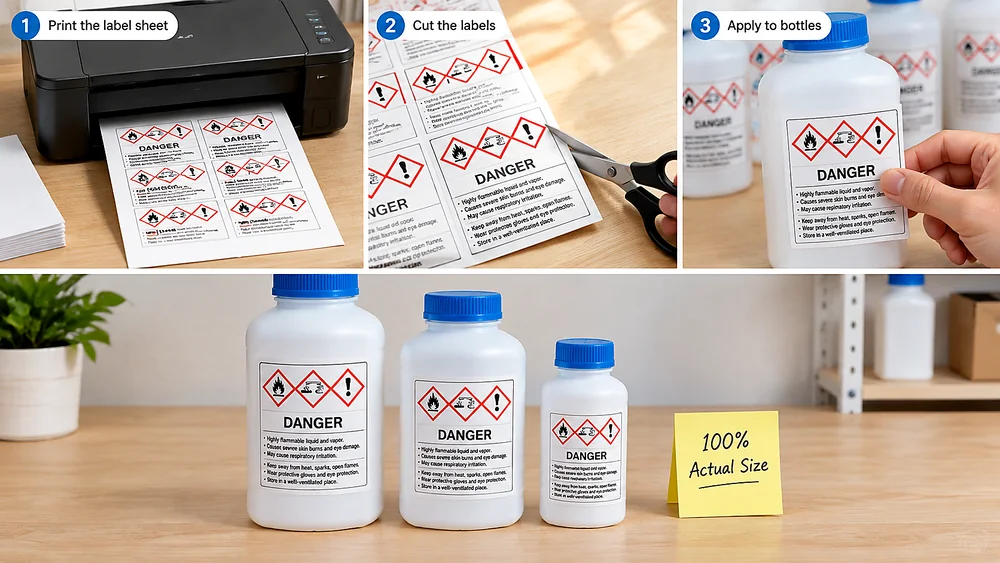
Export PDF
Generate a print-ready PDF for workplace labels, secondary containers, lab bottles, spray bottles, storage bins, and chemical cabinets.
Avery-Ready Hazard, Chemical, SDS and WHMIS Labels
Hazard labels, chemical labels, SDS labels, and WHMIS labels often need both correct physical layouts and spreadsheet-driven batch output. The practical workflow is to connect those layouts to data and export print-ready PDFs.
Built for spreadsheet-driven batch printing
Import your chemical list, map SDS and GHS fields, expand quantities, and export a print-ready PDF that fits Avery-compatible sheets or thermal labels.
Built Around the Fields Hazard Labels Actually Need
OSHA-style shipped container labels commonly include a product identifier, signal word, hazard statement, pictogram, precautionary statement, and supplier information. WHMIS labels and workplace secondary container labels may use simpler systems, but teams still need labels that are clear, consistent, and tied back to SDS data.
Product identifier
Match the label name to the SDS and internal inventory record so workers can connect the container, SDS binder, and spreadsheet row.
Signal word
Support Danger and Warning as structured fields instead of loose text, so templates can style the risk level consistently.
Pictograms
Map values such as flame, corrosion, skull, exclamation, gas cylinder, and health hazard into red-diamond GHS symbols.
H/P statements
Accept full statement text or code lists such as H225; H319; P210; P280, then place them in readable blocks.
Supplier information
Include responsible party name, address, phone, emergency phone, revision date, and custom company branding where appropriate.
SDS QR codes
Place QR codes that point to SDS URLs, internal document libraries, or chemical inventory records for fast access on the shop floor.
A Practical Excel Template for Hazard Labels and SDS Labels
Most labs, schools, cleaning teams, and manufacturers already keep chemical data in spreadsheets. Use a simple template that mirrors GHS hazard labels, chemical labels, SDS QR labels, and WHMIS labels.
product_identifier, signal_word, pictograms, hazard_statements, precautionary_statements, supplier, phone, sds_url, label_size, and quantity are enough for the first usable workflow.
Features for printable GHS hazard labels
Import existing SDS data, check missing fields, map pictograms, use GHS/WHMIS terminology, and export clean PDFs. This tool formats the hazard data you provide — it does not classify chemicals automatically.
Excel and CSV import
Turn chemical inventory rows into labels with column mapping, quantity expansion, and reusable import presets.
GHS / WHMIS pictogram picker
Support common GHS and WHMIS pictograms and allow multiple red-diamond symbols on the same hazard label.
SDS label QR code field
Generate QR codes from spreadsheet URLs so each printed label can point to the latest SDS or internal chemical record.
Avery and thermal layouts
Print on practical 2 x 4 in, 3.5 x 5 in, full-sheet, A4, Letter, and thermal label layouts for secondary containers, lab bottles, spray bottles, and workplace labels.
Missing-field warnings
Warn when a row is missing product identifier, signal word, pictogram, hazard statement, precautionary statement, or supplier fields.
Reusable label projects
Save chemical label projects so a team can revise one spreadsheet and reprint updated labels without rebuilding the design.
GHS Hazard Label Generator FAQ
Use this hazard label maker to format known hazard communication data into printable GHS labels, chemical labels, SDS labels, and WHMIS-style workplace labels. It does not replace SDS authoring, hazard classification, or legal compliance review.
Compliance note: use this tool to create print-ready labels from your SDS and hazard communication data. It is not legal advice and does not determine chemical classification by itself.
Still have questions?
If you couldn't find the answer you're looking for, please feel free to ask us!
Create GHS hazard labels from your spreadsheet
Use the spreadsheet-first GHS label generator for hazard labels, chemical labels, SDS QR labels, and WHMIS-style labels: import rows, map SDS fields, choose an Avery or thermal layout, preview missing fields, and export a print-ready PDF.
Use your own SDS and hazard communication data. The tool helps format labels; it does not classify chemicals or replace safety review.