
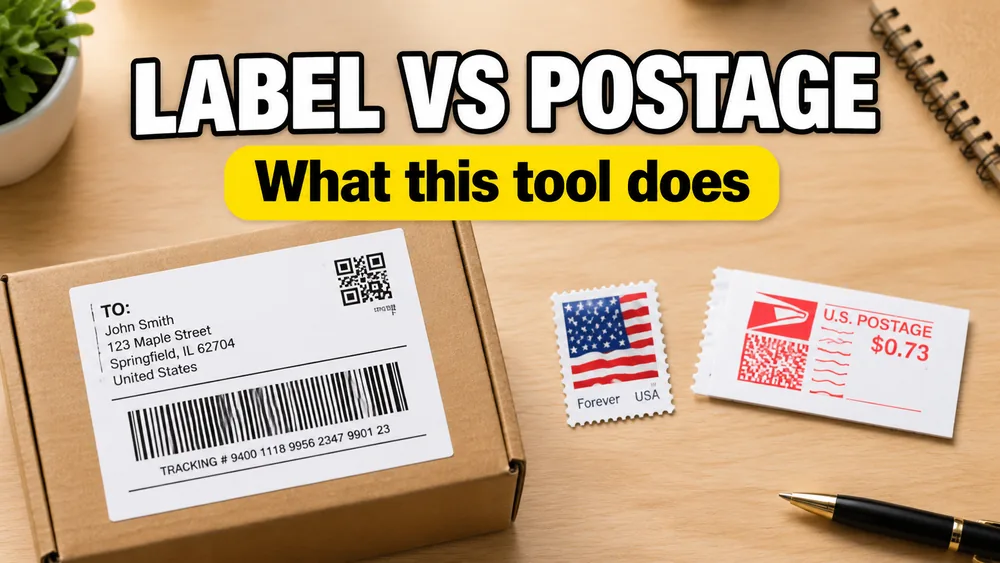
A shipping label is the printable document with sender, recipient, package details, and optional barcodes. Postage is the paid shipping service that includes carrier acceptance, routing, and live tracking. Shipping Label Maker creates the label document. It does not buy postage from USPS, UPS, FedEx, or DHL.
That distinction matters because many search results mix "free shipping label maker" with "buy and print postage online." They are related jobs, but not the same product.
Shipping label vs postage in one sentence
- Label = what gets printed and taped to the package
- Postage = what the carrier charges to move the package and issue official tracking
You can print a label without buying postage. You cannot ship most consumer parcels on a label alone unless postage is purchased elsewhere.
What a printable shipping label includes
A practical shipping label layout usually contains:
- ship-from / return address
- recipient address
- package weight or dimensions when needed
- order ID, reference number, or internal barcode
- optional tracking number you already have from another system
Tools like Shipping Label Maker turn spreadsheet rows into that layout and export a print-ready PDF or ZPL file for thermal printers.
What postage includes
When you buy postage from a carrier or shipping platform, you typically get:
- a service level such as USPS Ground Advantage or UPS Ground
- a carrier-issued tracking number
- a scannable postage barcode tied to payment
- rate selection, pickup options, and claim support through that carrier workflow
Common postage purchase paths include:
- USPS Click-N-Ship
- UPS Create a Shipment
- FedEx ship flow
- PayPal Shipping Center
- discount resellers such as Pirate Ship
Comparison table
| Printable label maker | Carrier postage checkout | |
|---|---|---|
| Main output | PDF or ZPL layout | Prepaid shipping label |
| Best input | Excel, CSV, Google Sheets rows | Single shipment form or store orders |
| Tracking number | Uses your existing data if present | Issued by the carrier at purchase |
| Postage payment | No | Yes |
| Batch from spreadsheet | Strong fit | Depends on the platform |
| 4x6 thermal PDF | Yes | Often yes after purchase |
| Official carrier scan acceptance | Only if postage is bought separately | Yes |
What Shipping Label Maker does
Shipping Label Maker is built for teams that already have shipment data and need repeatable print output:
- import Excel, CSV, or Google Sheets
- generate 4x6, US Letter, or A6 layouts
- add tracking or reference barcodes from your columns
- export PDF for Rollo, DYMO, Brother, Munbyn, and similar printers
- export ZPL for Zebra-compatible workflows
It is a strong fit for:
- marketplace exports you fulfill manually
- warehouse or internal carton labels
- returns workflows where layout consistency matters
- batches where the source of truth is a spreadsheet
What Shipping Label Maker does not do
It does not:
- sell USPS, UPS, FedEx, or DHL postage
- replace ShipStation, Easyship, or carrier checkout tools
- crop or repaginate an existing Amazon or carrier PDF
- guarantee carrier tracking unless you supply a valid tracking value
If your package needs official prepaid postage, buy it through the carrier or a shipping platform first, then print the file they provide.
"Free shipping label maker" usually means one of three things
Search results are messy. Usually the tool is doing one of these jobs:
- Layout only — formats addresses and optional barcodes; you buy postage separately
- Postage checkout — sells shipping service and prints the official label
- PDF utility — resizes or crops a carrier PDF to 4x6
Shipping Label Maker is in category 1 with spreadsheet batch support.
That is different from category 2 tools that compare rates and print prepaid labels. It is also different from category 3 tools aimed at Amazon sellers who already downloaded a letter-size carrier PDF.
Typical workflow when you need both
Many small sellers use both steps:
- create or import shipment rows in a spreadsheet
- generate a clean printable label layout for internal use, pick lists, or manual fulfillment
- buy official postage separately when the package must ship on a carrier label
Another common pattern is the opposite:
- buy postage in USPS Click-N-Ship, Amazon Buy Shipping, or a shipping platform
- print the official 4x6 PDF they provide
- skip a separate label maker entirely
Choose the path based on whether your bottleneck is data + layout or postage purchase.
FAQ-style quick answers
Can I mail a package with only the PDF from Shipping Label Maker?
Not as prepaid carrier mail. You still need valid postage from the carrier unless you are using the label for internal logistics only.
Does the tool create fake tracking numbers?
No. It prints tracking values you provide. It does not issue live carrier tracking on its own.
Is the tool free?
Yes. You can open the template, import data, and export PDF or ZPL without creating an account.
Do I still need a thermal printer?
Not always. A 4x6 PDF can print on thermal stock or be adapted to sheet layouts, but thermal output is the common ecommerce setup. For Rollo-specific settings, read How to Print 4x6 Shipping Labels on Rollo at Actual Size.
Related guides
- How to Make Shipping Labels from Excel or Google Sheets
- How to Print 4x6 Shipping Labels on Rollo at Actual Size
- Shipping Label Maker vs Cropping Amazon Labels
When your source data is already in a spreadsheet and you need print-ready 4x6 output, start at Shipping Label Maker.