
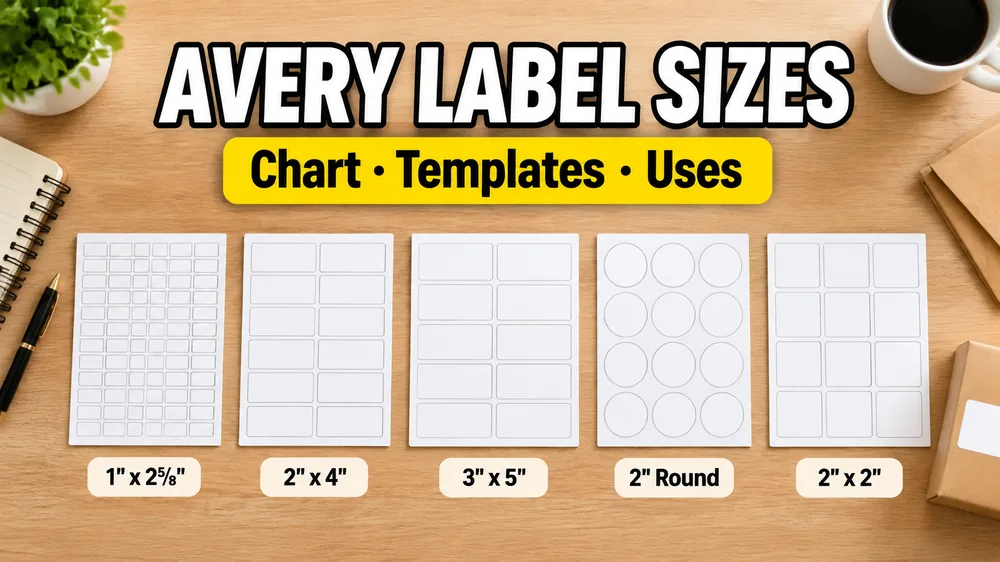
Template numbers represent specific sheet layouts. For printing, the crucial specifications are paper size, label dimensions, columns, rows, margins, and gaps. This guide helps you match your label package to the correct digital template. If you are printing mailing labels, you can use our free Address Label Maker to map Excel names and addresses onto Avery layouts in a few clicks.
Trademark note: This program is not made, tested or endorsed by Avery Products Corporation. Avery and all Avery brands, product names and codes are trademarks of CCL Label, Inc. Product names and codes are referenced only to describe compatible label layouts.
Avery® Template Quick Finder & Converter
Enter your Avery sheet code (e.g., 5160, 5163, 7160) to design and mail merge instantly.
Quick Online Printing Tool
Need to print labels from Excel or Google Sheets? Skip Microsoft Word mail merge and Avery Design & Print. Upload your sheet directly to our tool, design your layout, and generate a perfectly aligned PDF in seconds.
Avery®-Compatible Label Sizes Chart
Below is a consolidated reference chart of the most common compatible template layouts. Always verify your physical sheet dimensions and print a test page before running a full batch.
| Compatible Layout | Paper Size | Label Dimensions (in) | Label Dimensions (mm) | Grid | Labels/Sheet | Common Uses |
|---|---|---|---|---|---|---|
| 5160® Template | US Letter | 2.625" x 1" | 66.7 x 25.4 mm | 3 x 10 | 30 | Address labels, mailing lists (shares layout with 8160, 5260, 8460) |
| 5161® Template | US Letter | 4" x 1" | 101.6 x 25.4 mm | 2 x 10 | 20 | Longer address lines, simple file folder or bin tags |
| 5162® Template | US Letter | 4" x 1.33" | 101.6 x 33.9 mm | 2 x 7 | 14 | Large address blocks, simple shipping descriptions |
| 5163® Template | US Letter | 4" x 2" | 101.6 x 50.8 mm | 2 x 5 | 10 | Shipping labels, barcodes, QR codes (shares layout with 8163) |
| 5164® Template | US Letter | 4" x 3.33" | 101.6 x 84.7 mm | 2 x 3 | 6 | Large shipping labels, bin markers, organizer labels |
| 5167® Template | US Letter | 1.75" x 0.5" | 44.5 x 12.7 mm | 4 x 20 | 80 | Return address labels, small asset tags, product IDs |
| 5195® Template | US Letter | 3.31" x 3.31" | 84.1 x 84.1 mm | 2 x 3 | 6 | Round seals, product tags, custom event stickers |
| 7160® Template / L7160® | A4 | 2.52" x 1.50" | 63.9 x 38.1 mm | 3 x 7 | 21 | A4 address sheets |
| 7162® Template / L7162® | A4 | 3.90" x 1.33" | 99.1 x 33.9 mm | 2 x 8 | 16 | A4 product packaging labels, medium tags |
| 7163® Template / L7163® | A4 | 3.90" x 1.50" | 99.1 x 38.1 mm | 2 x 7 | 14 | A4 shipping and barcode sheets |
| 7169® Template / L7169® | A4 | 3.90" x 5.47" | 99.1 x 139.0 mm | 2 x 2 | 4 | Large A4 parcel shipping labels, filing bins |
Key Layout Families and Their Uses
1. 30-Up Address Labels (5160® Family)
The classic mailing standard. Measuring 2.625 x 1 inch on US Letter, this layout is shared by 5160®, 8160®, 5260®, and 8460® sheet presets. It is perfect for fast customer address lists imported from Excel or Google Sheets. A4 equivalent: 7160® Layout.
2. 10-Up Shipping & Barcodes (5163® Family)
Measuring 4 x 2 inches, this layout is shared by 5163®, 8163®, 5963®, and 8463® sheets. It offers the ideal size for product barcodes, QR codes with descriptions, and Amazon FBA FNSKU item labeling. A4 equivalent: 7163® Layout.
3. 80-Up Return Address Labels (5167® Family)
A compact layout of 1.75 x 0.5 inches (4 columns x 20 rows). Best suited for short return addresses, tiny SKU codes, or small asset IDs.
Compatibility and Third-Party Brand Matching
A digital template is "compatible" if it shares the identical physical layout (paper size, labels per sheet, dimensions, and spacing margins).
- Material vs. Layout: The layout code dictates placement, not the materials. The same layout applies to laser, inkjet, clear, or weatherproof paper.
- Third-Party Brands: Brands like Staples, Office Depot, Grand & Toy (e.g., 99180), or Niceday use layout geometries that match these standard layouts. Match the physical sheet specifications (dimensions, gaps, rows/columns) to choose the right template.
- US Letter vs. A4: Never scale a US Letter template onto A4 stock (or vice versa), as it causes print drift. Choose the correct template matching your paper standard.
Steps for Perfect Label Printing
- Format Your Data: Place one record per row in Excel or Google Sheets with clear headers (
name,address,sku, etc.). - Select the Template: Open the corresponding compatible template page on SheetsToLabels and load your data.
- Map Fields & Preview: Map columns to text or barcode elements. Preview the generated sheet.
- Disable Print Scaling: In your system print dialog, set scaling to 100% or Actual Size. Turn off "Fit to Page" or "Shrink to Fit".
- Print a Plain-Paper Test: Print on plain paper first, hold it over the label stock to check alignment, then print the final batch.
For detailed alignment troubleshooting, refer to our Label Printing Alignment Guide.
Microsoft Word vs. SheetsToLabels for Excel Mail Merge
Most users traditionally use Microsoft Word's Mail Merge feature to print labels from Excel. However, Word is notoriously difficult to align, and a single mistake can ruin expensive sticker sheets. Here is how they compare:
| Feature / Step | Microsoft Word Mail Merge | SheetsToLabels Online Converter |
|---|---|---|
| Setup Process | 12-step wizard (Mailings -> Start Mail Merge -> Labels -> Select Recipient -> Insert Merge Field...) | 3-step drag & drop (Upload Excel -> Drag fields -> Print PDF) |
| Layout Selection | Sift through legacy manufacturer list menus | Interactive search box with visual layout dimensions |
| Real-time Preview | Hard to preview actual data grids before merging | Direct instant preview of every sheet and name tag in browser |
| Alignment Errors | Margin drift is extremely common; requires complex cell spacing tweaks | Built-in print alignment guide; margins locked to 100% actual size |
| Platform | Native app install required (Office license) | Web-based, works on Mac, Windows, Chromebook, iPad |
Frequently Asked Questions
Are 5160® and 8160® layouts identical?
Yes, they share the identical 30-up sheet geometry (2.625" x 1"). 8160® is typically sold for inkjet printers while 5160® is laser-optimized. The layout preset is interchangeable.
How do I use Excel, Google Sheets, or Airtable data?
Upload your spreadsheet or CSV (easily exported from Airtable) on the compatible template page (e.g. the 5160® Template). The tool automatically reads your rows and lays them out into printable labels.
Can I print Avery® labels from Airtable?
Yes! If you manage your contacts, wedding guest lists, or inventory in Airtable, you can export your table view as a CSV file. Upload the CSV into SheetsToLabels to map fields visually onto any Avery layout. For a step-by-step walkthrough, read our guide on How to Print Labels from Airtable.
Where can I find official manufacturer templates?
If you require official Microsoft Word or PDF files from the manufacturer, visit the official Avery templates site.
Is SheetsToLabels affiliated with Avery®?
No. SheetsToLabels is independent and is not affiliated with, endorsed by, or sponsored by Avery Products Corporation. Avery® and all Avery product brands are trademarks of CCL Label, Inc.
Related Layout Templates
- Free Address Label Maker
- 5160® Address Labels Layout
- 5161® Address Labels Layout
- 5162® Address Labels Layout
- 5163® Shipping Labels Layout
- 5164® Shipping Labels Layout
- 5167® Return Address Labels Layout
- 5195® Round Labels Layout
- 7160® Address Labels Layout
- 7162® Address Labels Layout
- 7163® Address Labels Layout
- 7169® Address Labels Layout