
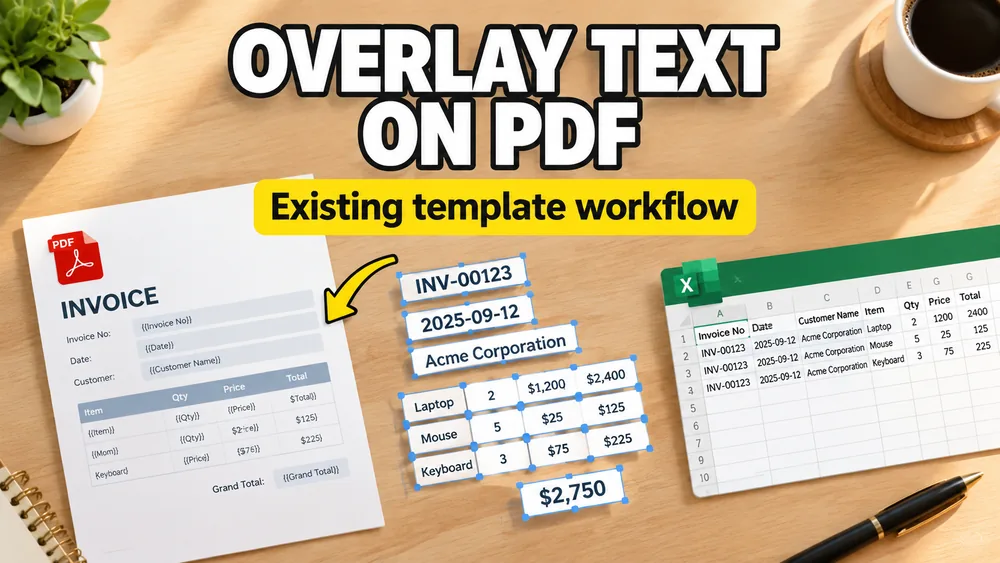
Sometimes the PDF you need to automate is not a form at all. It is just a finished design.
In that case, the problem is not "how do I fill a form field?" It is:
How do I overlay text on an existing PDF template?
Open the PDF Mail Merge Tool
Batch fill PDF forms from Excel—one PDF per row. Map columns once, preview free, export separate PDFs or a ZIP. No Acrobat or VBA.
This is also called:
- PDF overlay
- PDF stamping
- template-based PDF generation
If your broader goal is to fill a PDF from spreadsheet data, read How to Fill PDF Forms from Excel in Bulk. If you are specifically dealing with static PDFs, pair this guide with How to Fill a Non-Fillable PDF from Excel or Google Sheets.
When PDF overlay is the right model
Overlaying text on an existing PDF is the right approach when:
- the PDF is non-fillable
- the layout is already approved
- you need to personalize many documents
- you want to generate one PDF per row from a spreadsheet
Typical examples:
- certificates
- branded invoices
- event badges
- shipping documents
- official-looking internal forms
What can be overlaid
A modern PDF overlay workflow can place:
- plain text
- numbers
- images
- QR codes
- barcodes
That makes it much more flexible than a basic PDF form filler.
How to overlay spreadsheet data onto a PDF template
1. Start with the data
Use Excel, CSV, or Google Sheets.
2. Upload the PDF template
The PDF does not need to contain form fields.
3. Place fields visually
Define where each value should appear on the page.
Examples:
- a name in the title area
- an invoice number in the header
- a barcode in the footer
- a QR code in the side panel
4. Preview and adjust
Check:
- position
- alignment
- width
- readability
5. Generate in bulk
Once the layout is right, generate one PDF per row.
Why this matters for non-fillable PDFs
Many businesses already have a PDF template they do not want to rebuild. Overlay-based workflows let them keep that template and automate it anyway.
That is why PDF overlay is such an important concept for non-fillable PDFs.
A practical option
Fill PDF from Excel, Google Sheets, or CSV supports overlay-style mapping for static PDF templates, including text, images, QR codes, and barcodes, all in a local, privacy-first browser workflow.
If you are starting from Excel or Google Sheets, this is usually the fastest path to filling a non-fillable PDF template.
This same overlay model is what powers workflows like How to Fill PDF Invoices from Excel and How to Generate Bulk Certificates from Excel.
Frequently asked questions
Is PDF overlay the same as filling a PDF form?
Not exactly. Form filling writes values into built-in form fields. Overlay writes content onto the PDF layout visually.
Can I overlay text on a non-fillable PDF?
Yes. That is one of the main use cases for PDF overlay or PDF stamping.
Can I do this from Excel?
Yes. You map Excel columns to visual placements on the PDF and then generate the output in bulk.
Fill PDFs from Excel, Google Sheets, or CSV
If you need to map spreadsheet data onto fillable or non-fillable PDF templates, try filling PDFs from Excel, Google Sheets, or CSV with PDF Mail Merge. It supports one PDF per row, merged review files, and ZIP exports.